Show the result of the work before the quote is signed
Your client hesitates because they cannot picture it. With Roomify, you photograph the room or the facade during the visit and show them the result of the work: a new kitchen, a renovated bathroom, a restored facade. They see the before and after side by side, and choose from the image.
- 🎁 5 free images when you sign up, no credit card needed
- Then from €2.50 incl. VAT for 8 images, no subscription
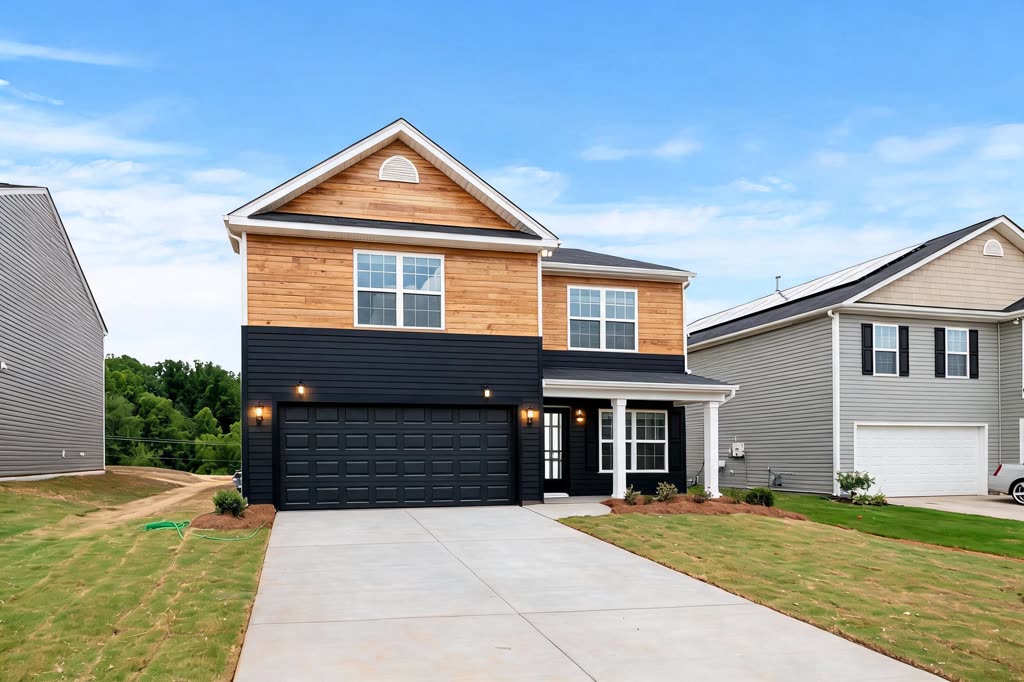
During the visit, from a photo
A photo taken with a phone is enough, inside as well as outside. Each image costs 1 credit.
- Photograph the room or the facade as it is.
- Describe the work: « new kitchen, sage green fronts, oak worktop, white tiles » or, in « House & garden », « white render facade, anthracite grey shutters ».
- Correct it in one sentence, then show the before/after to the client or send them the image.
Compare the options before pricing
Two finishes, two colours, two layouts: generate each variant and let the client choose from the image.
A before → after video that convinces
Turn your images into a video where the original photo turns into the result of the work, from 6 credits: send it to the client with the quote, or post it on the company's social media.
A project image, not a commitment
The render shows an intention: materials, colours, mood. It replaces neither the measurements nor the description in the quote. Tell the client (« non-contractual image ») so that the handover goes smoothly.
How much does it cost?
- 🎁 5 free images when you sign up, no credit card needed
- Then from €2.50 incl. VAT for 8 images, no subscription
- An image costs €0.27 to €0.35 incl. VAT, depending on the offer; pro subscriptions from €19.00 a month, cancel anytime.
- An image costs 1 credit, a render from a plan 3 credits, a walkthrough video from 6 credits.
Frequently asked questions
How do I show a renovation before/after to a client?
Photograph the room or the facade, describe the work to Roomify, then show the image next to the original photo, or the before → after video. Everything happens in the browser, on a phone or a computer.
What work can be simulated?
Inside: kitchen, bathroom, floors, walls and paint, furniture. Outside, in « House & garden »: facade, roof, gate, driveway, terrace, pool, garden.
Is the render accurate?
The image keeps the walls, the openings and the light of the photo, but dimensions and shades are indicative. It helps the client decide; it is not a technical document.
Can I use the images on my website and social media?
Yes. Under our terms of use, the images generated from your photos belong to you, provided you hold the rights to the original photos and, for a client's home, their consent to publish them.
Can I try it for free?
Yes: creating an account gives you 5 free images, with no credit card. Try it on your next job before choosing a pack.
Try it on your next job — Try it free